My photos
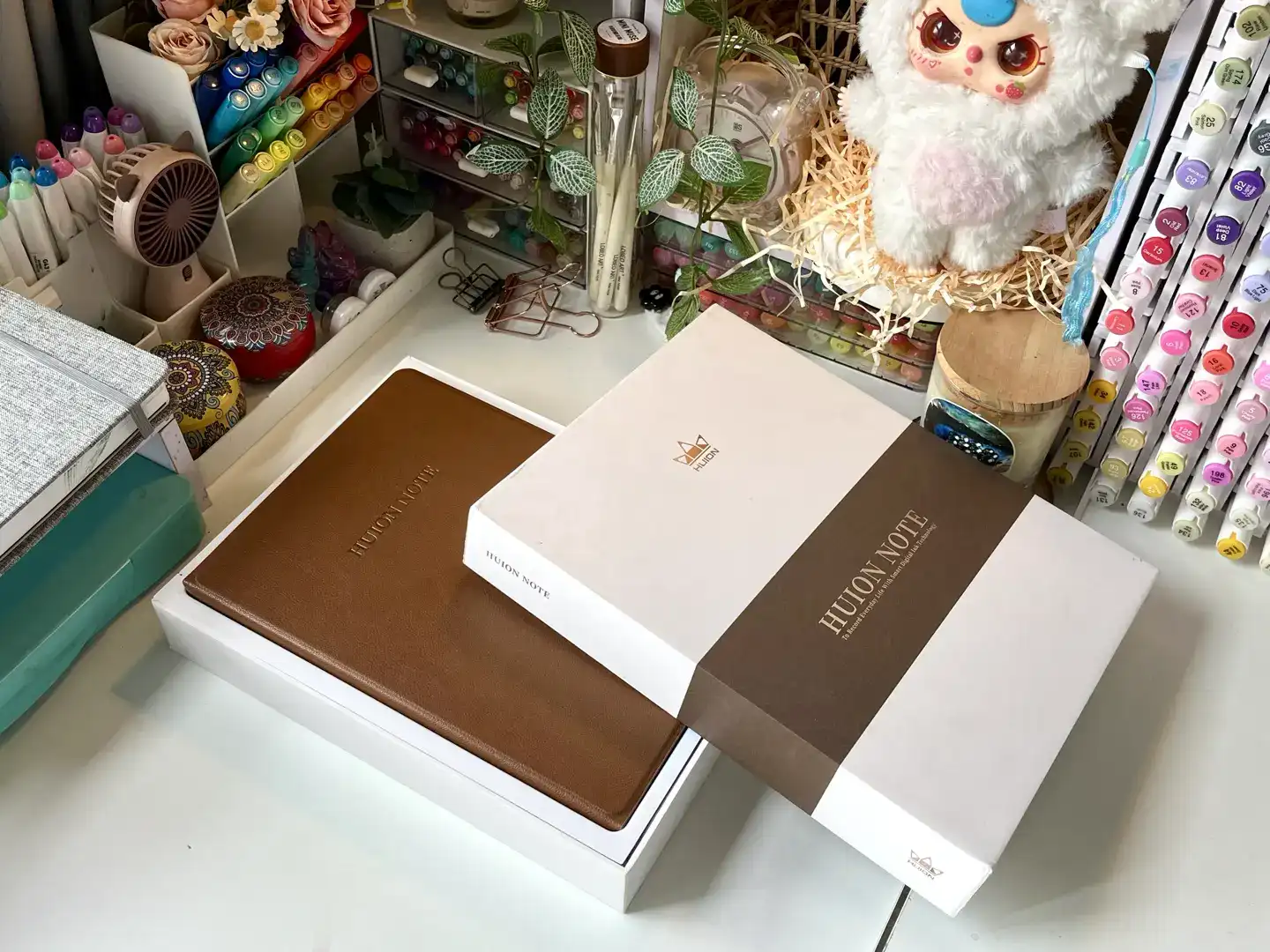
My photo · The Huion Note X10 in its brown folio, with the HUION NOTE box and sleeve on my desk
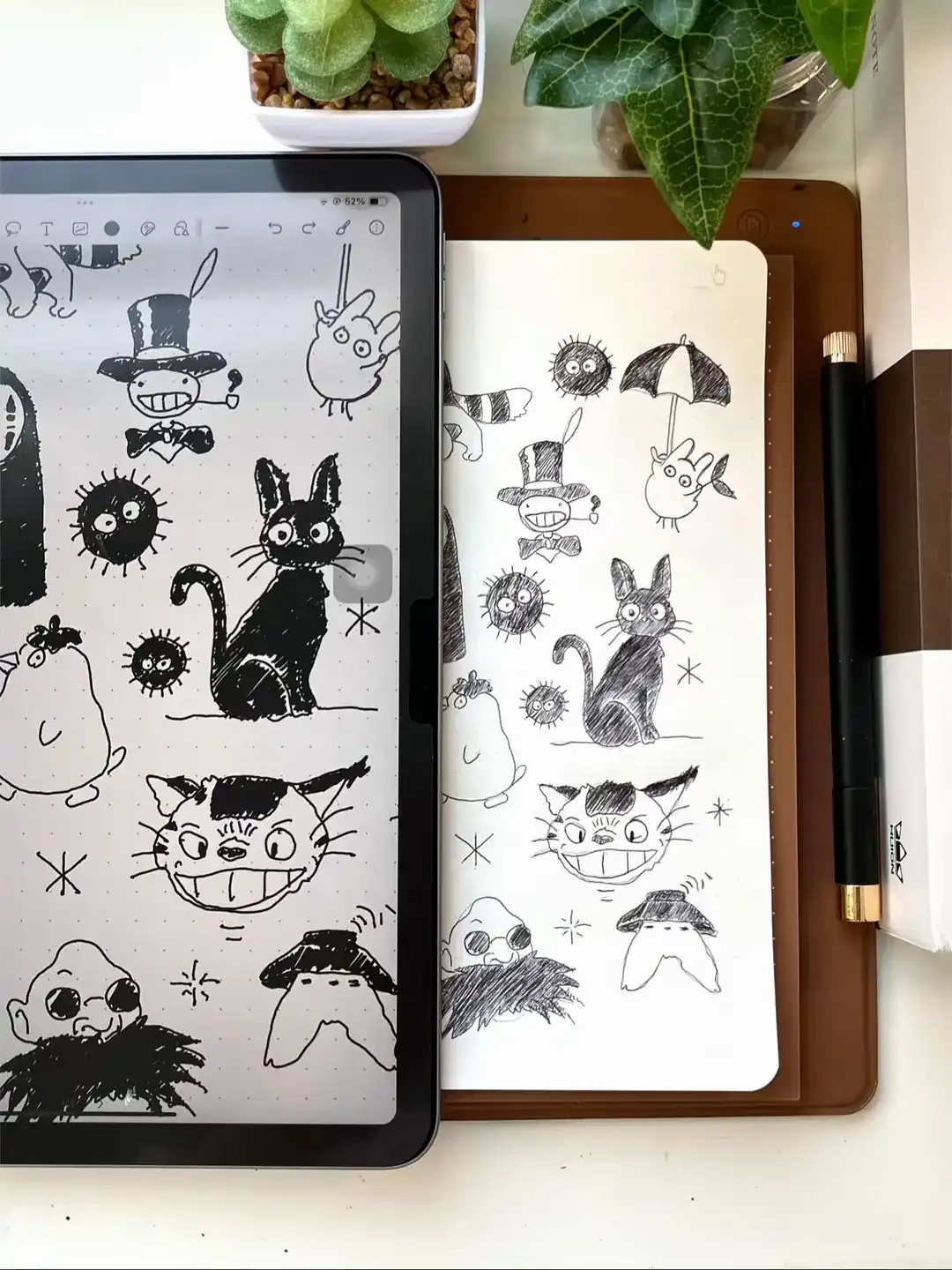
My photo · My Studio Ghibli doodle page in ink on the Huion Note, mirrored on my iPad beside it
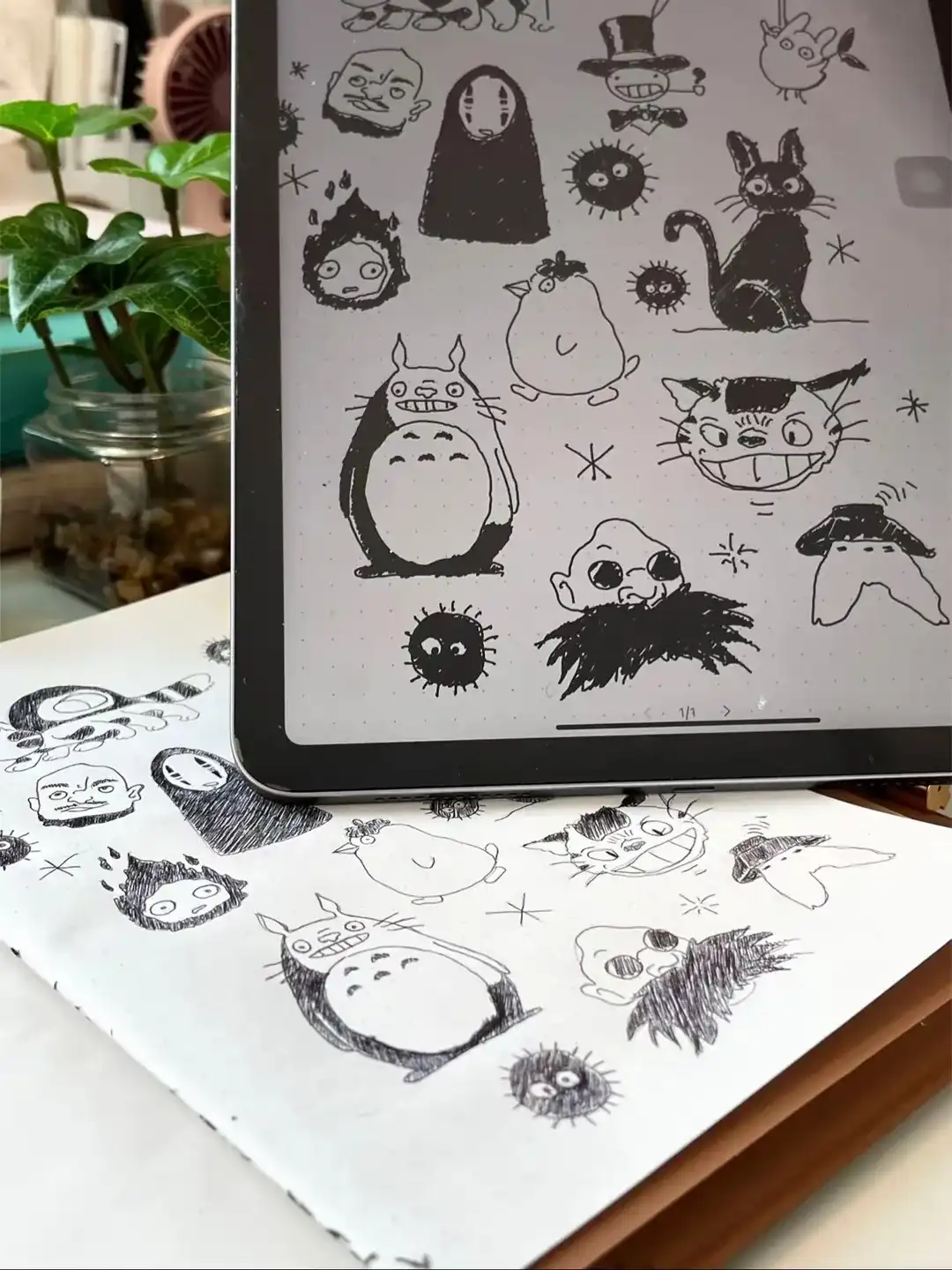
My photo · The iPad copy over the paper page: Totoro, No-Face, Calcifer, Jiji and soot sprites, line for line


At a glance
- Type
- Smart notebook: you write and draw on A5 paper in a folio; no screen of its own
- Pen
- Battery-free ink pen with ballpoint refills, 8,192 pressure levels (per listing)
- Syncs to
- Free Huion Note app on iOS and Android, over Bluetooth 5.0 (per listing)
- Battery
- Up to 18 hours of use, about 30 days standby (maker's figures); USB-C charging
- Active area
- 7.35 × 5.5 in (per listing)
- In the box
- A5 notebook (50 pages), USB-C cable, magnetic pen sleeve, 3 ballpoint refills, 3 plastic nibs (per listing)
- Computer use
- Graphics tablet mode with the panel in the box (per listing)
Maker's figures from the Amazon listing, checked Oct 29, 2026.
The Huion Note X10 is the smart notebook I draw in: a brown folio with a paper pad, a real ink pen, and live sync to my iPad. The ink flows evenly, whatever I draw on the paper appears on the connected device as I go, the battery has never run out on me in 4–5 hours of continuous use, it is easy to use and connects quickly, and any paper works once the bundled pad runs out. Below, each of those five points in turn, what Huion’s listing adds, and how a paper notebook like this compares with the screen tablets in my drawing tablet guide.
The ink and the pen: even flow on real paper
The ink flows evenly. It is a real pen on real paper, so there is no glass surface to get used to. On my Ghibli doodle page above, the hatched shading on Jiji, No-Face and Totoro and the fine whiskers on the Catbus all come from this pen.


According to Huion’s listing, the pen is battery-free, senses 8,192 pressure levels, and takes ballpoint refills: the box includes three ballpoint refills and three plastic nibs.
Live sync: the page appears on my iPad as I draw
Whatever I write or draw on the paper shows up on the connected device as I go, so the drawing builds up on my iPad as it does on the page. The two photos at the top show one doodle page of Studio Ghibli characters (the Catbus, No-Face, Jiji, Totoro, Calcifer, Turnip Head and a crowd of soot sprites), once in ink on paper and once on screen.
Huion describes the sync as capturing every stroke as vector lines and sending it to its free Huion Note app on iOS and Android. The listing also says the app can record audio alongside your notes and play the writing back, share pages as images, PDF or MP4 files, and merge, split or move pages into groups. I haven’t covered those features here; they are Huion’s claims.
Battery: 4–5 hours of drawing and still going
The battery is strong. I have used the notebook continuously for 4–5 hours and it still had not run out.

Huion’s listing rates the battery at up to 18 hours of use on a full charge and about 30 days on standby. It charges through the USB-C port on the edge of the folio, with the cable from the box.
Setup and connection: easy and quick
The Huion Note is easy to use and connects quickly. The folio opens like a notebook, with the paper pad on its cover.

Per Huion’s listing, it pairs with the app over Bluetooth 5.0 automatically once you open the Huion Note, and it also stores pages offline to sync later. The box holds the notebook, an A5 notepad of 50 pages, a USB-C cable, a magnetic pen sleeve, the refills and nibs, and a quick start guide.
Any paper works, so you never run out
The pad that comes with the Huion Note will run out one day, and that is not a problem: you can swap in any paper once the maker’s pages are used up. As long as the paper sits on the smart notebook’s cover, it works normally, so I never worry about running out of paper.
Huion also sells A5 replacement notepads made for the X10, if you like its dotted pages. The listing gives the folio’s active area as 7.35 × 5.5 in, so keep your drawing inside that area of the cover.
Huion Note or a drawing tablet with a screen?
This section is general background, not my own testing. A smart notebook like the Huion Note and a pen display solve different problems:
- Huion Note (paper first)you draw in ink on paper and get a digital copy as you go. You keep the feel of a pen on paper and a physical sketchbook page, but you cannot undo a line on the paper.
- Pen display (screen first)you draw on glass over the picture in an art app, with undo, layers, brushes and color. It needs a computer that can drive a second screen; my drawing tablet guide walks through the port check.
- Standalone tablet or iPad with a stylusa screen of its own and drawing apps, no computer, no paper.
Huion’s listing also describes a graphics tablet mode: swap the pad for the panel in the box and connect the notebook to a computer to use it like a screenless pen tablet. I haven’t covered that mode here.
Who it suits
Choose the Huion Note X10 if you love sketching, doodling or taking notes with a real pen on paper and want each page on your phone or tablet as you draw, with a battery that lasts through long sessions and no fear of running out of paper. If you want to paint in color or work in layers on a screen, start with my guide to drawing tablets with a screen. For more of my Studio Ghibli art, see my Ghibli gouache painting page.
What I liked
- The ink flows evenly.
- Whatever I write or draw on the paper shows up on the connected device as I go.
- Strong battery: I have used it for 4–5 hours straight and it still had not run out.
- Easy to use, and it connects quickly.
- Any paper works once the bundled pad runs out, as long as it sits on the notebook's cover, so I never worry about running out of paper.
How it compares
| Photo | Set | Pen | Price (Amazon) |
|---|---|---|---|
  | HUION Note X10This setSent free by the brand | Battery-free ink pen with ballpoint refills, 8,192 pressure levels | $83.99List Price: $119.99Save 30% as of Nov 3, 2026, 11:11 UTCDetails Price and availability show on Amazon. |
 | HUION Kamvas 13 (Gen 3)Research-basedA 13.3-inch pen display: you draw on glass over the picture in any desktop art app, with undo and layers. It needs a computer that can drive it, per HUION. | PenTech 4.0, 16,384 pressure levels | $229.00List Price: $269.00Save 15% as of Nov 3, 2026, 11:26 UTCDetails Price and availability show on Amazon. |
 | Wacom MovinkPad 11Research-basedA standalone Android drawing tablet with its own 11.45-inch screen, per Wacom: no paper and no computer, color and layers in drawing apps. | Pro Pen 3 (slim), 8,192 pressure levels, 60° tilt | Read why: Wacom MovinkPad 11View on Amazon |
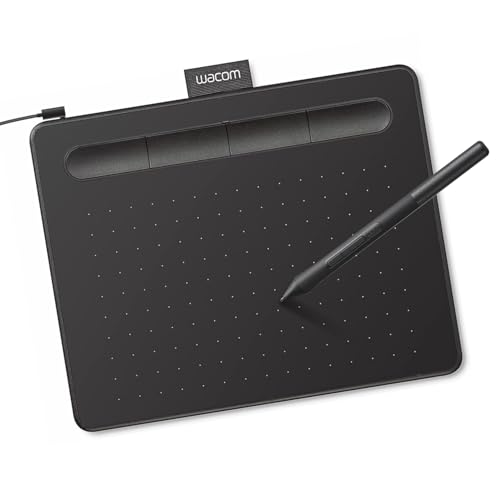 | Wacom Intuos SmallResearch-basedA screenless pen tablet for a computer: you draw on a small pad and watch your monitor, with no ink and no paper, per Wacom. | Wacom Pen 4K, 4,096 pressure levels, battery-free | Read why: Wacom Intuos SmallView on Amazon |
Specs are each maker's own. Prices are Amazon's, shown only with their time. All 6 in the guide
If it fits, here it is
HUION Note X10 Digital Notebook with Battery-Free Pen
$83.99List Price: $119.99Save 30%
as of Nov 3, 2026, 11:11 UTCDetails
Price and availability show on Amazon.
Paid link · I may earn from it
Questions
Is the Huion Note X10 good for drawing?
For pen drawing on paper, yes in my experience: the ink flows evenly, and my Studio Ghibli doodle page appeared on my iPad as I drew it. It draws in ink, so it suits sketching, line art and doodles rather than painting or color work.
How long does the Huion Note battery last?
I have used mine for 4–5 hours straight and it still had not run out. Huion's listing rates the battery at up to 18 hours of use and about 30 days on standby; it charges over USB-C.
Can you use any paper with the Huion Note?
Yes, in my experience. Once the notepad that comes with it runs out, any paper works as long as it sits on the notebook's cover, so you never have to worry about running out. Huion also sells A5 replacement notepads for it.
Does the Huion Note work with an iPad?
Yes. I use mine with my iPad, and what I draw shows up on it as I go. Huion's listing says it pairs over Bluetooth 5.0 with its free Huion Note app for iOS and Android.
Is the Huion Note a drawing tablet with a screen?
No. It has no screen: you draw in ink on paper and the drawing appears on your phone or tablet. Huion's listing also describes a graphics tablet mode for a computer, using a panel that comes in the box. To draw straight onto a screen, see my [guide to drawing tablets with a screen](/best-drawing-tablet-with-screen/).